June 28th, 2026
New
Custom instructions and reusable prompt templates
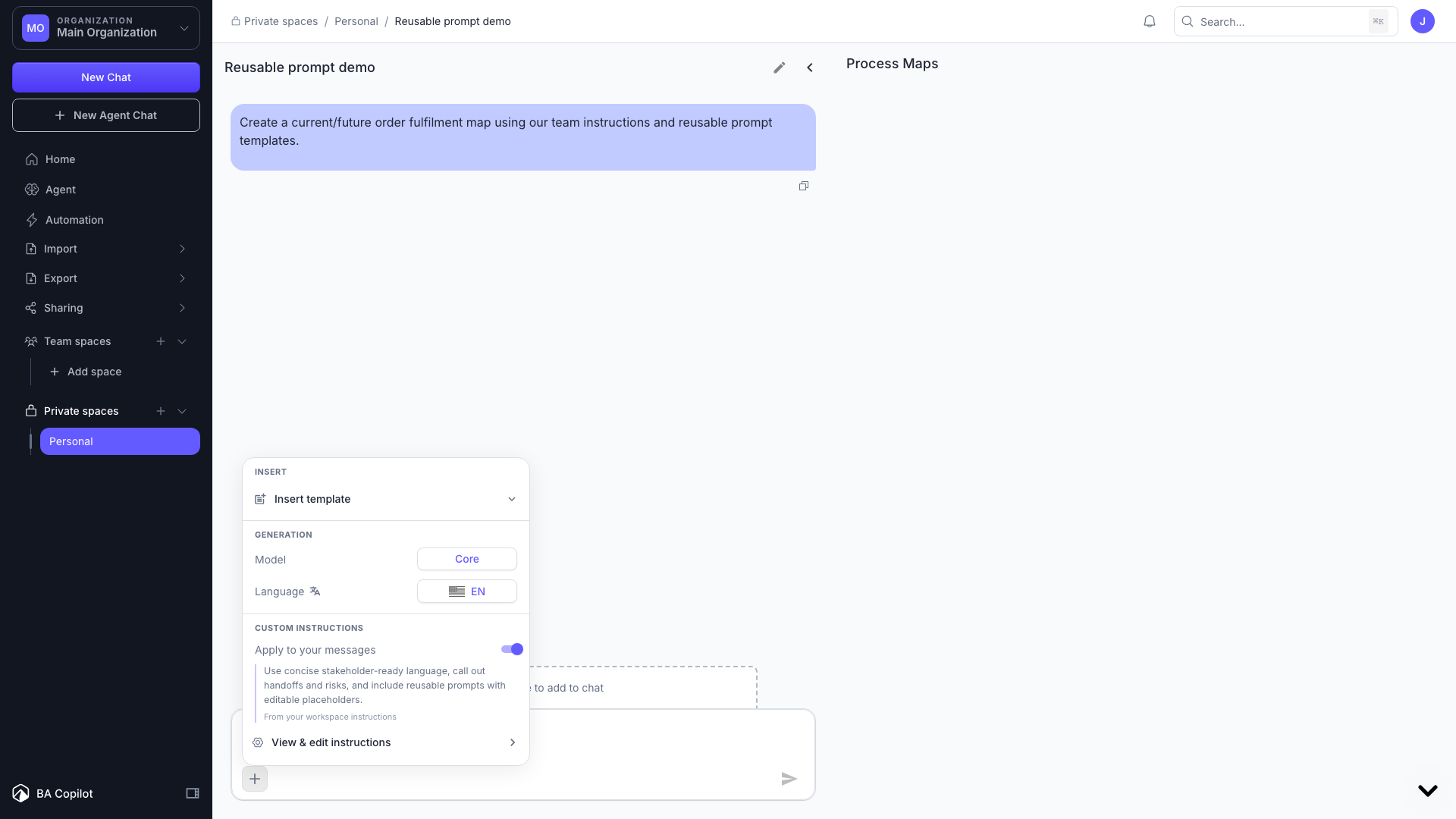
BA Copilot now lets you personalize the AI assistant with custom instructions and reusable prompt templates.
Custom instructions let you save guidance for an organization or workspace so BA Copilot can follow your preferred terminology, standards, tone, and process-mapping approach without you repeating the same context in every prompt. Workspace instructions take precedence when you are working in that workspace, and you can switch instructions off for a single message when you need a clean run.
Prompt templates let you save repeatable BA workflows and insert them into the chat composer from the + tools menu or the / slash menu. Placeholder fields are highlighted after insertion so you can quickly fill in the parts that change.
Together, these make the assistant easier to shape around your consulting style, client standards, and recurring process-analysis workflows.
To set it up, open settings and click 'prompt templates' or 'custom instructions'.